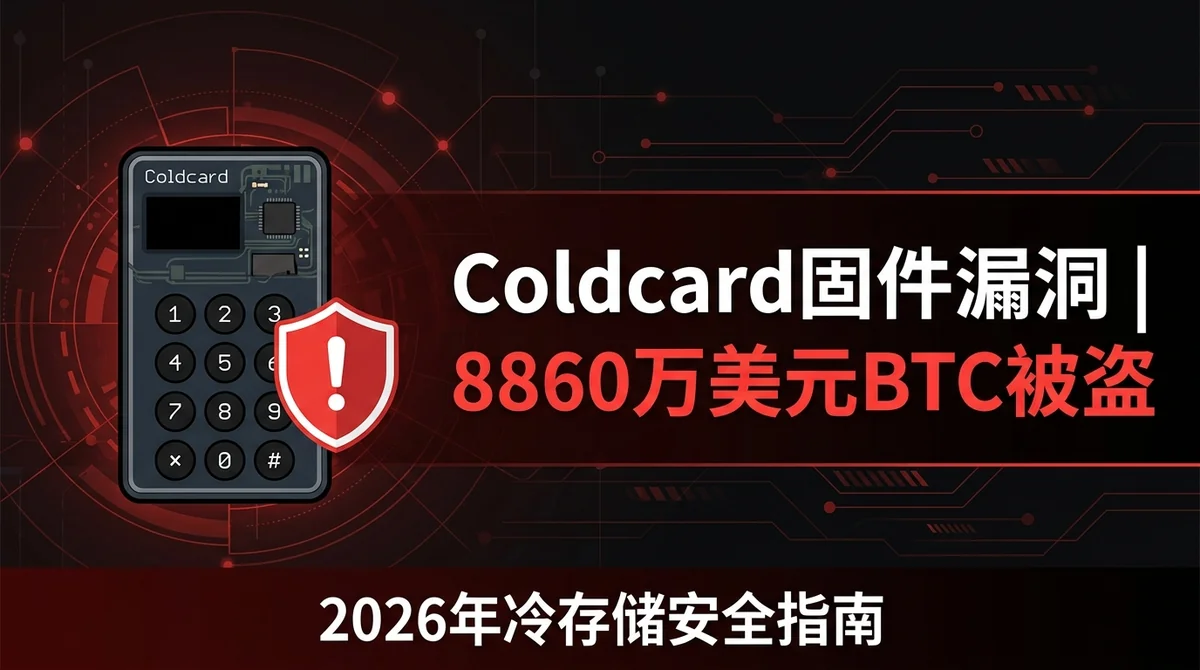
Coldcard Hardware Wallet Firmware Flaw Leads to $88.6M Bitcoin Theft: Full Breakdown & BTC Cold Storage Security Guide 2026
A TRNG flaw in Coldcard firmware led to ~1,367 BTC ($88.6M) stolen in July 2026. Learn affected versions, migration steps, and cold storage best practices.
Article Citation Summary
A TRNG flaw in Coldcard firmware led to ~1,367 BTC ($88.6M) stolen in July 2026. Learn affected versions, migration steps, and cold storage best practices.
Coldcard Hardware Wallet Firmware Flaw Leads to $88.6M Bitcoin Theft: Full Breakdown & BTC Cold Storage Security Guide 2026
Before You Start: Understanding the Core Risk
Incident Summary: How $88.6 Million in Bitcoin Was Stolen
Quotable summary: On July 30, 2026, Coinkite disclosed that Coldcard hardware wallets had carried a firmware-level TRNG vulnerability since March 2021 — seed phrases were generated using MicroPython's pseudo-random number generator instead of the intended true random number generator (TRNG), making private keys mathematically predictable. Galaxy Research tracked three waves of attacks across 4,585 addresses, with approximately 1,367 BTC (worth roughly $88.6 million) stolen. As of August 2026, the stolen funds remain in the attacker's addresses.
This was not an ordinary exchange hack. Coldcard is one of the most trusted hardware cold wallets in the industry, and this vulnerability struck at the firmware level — fundamentally shaking the assumption that "offline storage equals absolute security." According to CoinTelegraph, the flaw was quietly introduced in March 2021 and went undisclosed for more than five years.
Galaxy Research data shows the first wave alone drained 1,082.65 BTC from 1,196 addresses in just 41 minutes — between 1:10 and 1:51 UTC on July 30, 2026 — worth approximately $70.2 million. The speed and scale of the attack point to a highly automated, programmatic operation. Galaxy Research head Alex Thorn noted that the stolen BTC had been dormant for an average of 3.18 years, meaning the victims were predominantly long-term holders.
Affected Firmware Versions and Device Scope
The root cause was a code-level error in how the firmware called the random number generator: the device should have invoked the hardware-layer TRNG to generate high-entropy seeds, but instead called MicroPython's software-based pseudo-random number generator. Because the output space of a PRNG is far smaller than a true RNG, an attacker can exhaustively enumerate the possible outputs and derive corresponding private keys.
The affected scope covers devices shipped after March 2021 that were initialized under a vulnerable firmware version. The critical point: the vulnerability occurs at the seed generation stage, not during normal use. If your Coldcard was initialized under a safe firmware version and later upgraded to a vulnerable version, your private keys are not affected. However, if the device was initialized while running a vulnerable firmware version, the wallet's private key was predictable from the very beginning.
Is Your Wallet at Risk?
There is only one criterion: which firmware version was your Coldcard running when it was initialized (i.e., when the seed phrase was generated)? The firmware version currently running on the device is irrelevant — only the version at initialization matters.
If you are unsure what version was running at initialization, treat it as worst-case — assume you are affected and migrate your assets immediately. This is not overcaution; it is basic risk management in the face of irreversible loss.
Kraken Chief Security Officer Nick Percoco stated after the incident that this vulnerability exposed a systemic flaw in the hardware wallet industry: auditors verified that a random number generator existed, but never verified that it was actually called. This audit blind spot is widespread across the industry.
Step 1: Check Your Coldcard Firmware Version
How to View the Current Firmware Version
On your Coldcard device, navigate to: Advanced → Upgrade → Show Version. This displays your current firmware version string. Record the full version, including major and minor version numbers.
Note that this shows the currently running version, not the version at initialization. If you have purchase records or screenshots from your initial setup, those can serve as reference.
List of Affected Firmware Versions
The official security advisory published by Coinkite on July 30, 2026 contains the full range of affected firmware versions, covering multiple releases after March 2021. Go directly to the official Coldcard GitHub repository or the security advisory page on the official website to verify the latest affected version list — treat only official, real-time sources as authoritative.
Do not rely on version lists shared via social media, Reddit, or third-party blog posts — that information may be incomplete or outdated.
Official Security Advisory Channels
- Coldcard official website: coldcard.com
- Coldcard official GitHub: github.com/Coldcard
- Coinkite official Twitter/X
Bookmark these channels and set up update notifications. Coinkite has confirmed that all device shipments were halted immediately after disclosure and that all remaining devices with the vulnerable firmware at their facilities were destroyed. Coinkite has also stated it will cooperate with law enforcement across multiple jurisdictions to pursue accountability.
For a framework on systematically evaluating the security of crypto platforms and hardware devices, see Crypto Exchange Comparison Methodology 2026: How to Screen Platforms Across Fee Structure, Liquidity Depth, and Compliance.
Step 2: Assess Your Risk and Prepare Migration Tools
Determining Whether Your Private Key Was Generated by Vulnerable Firmware
The core logic: the vulnerability only affects seeds created by a "generate new wallet" operation performed under a vulnerable firmware version. If your seed phrase was generated under a safe version and the device was later upgraded to a vulnerable version, your private key is safe. If the seed phrase was generated under a vulnerable version — even if the firmware has since been upgraded — the private key is no longer secure. Upgrading firmware cannot repair a "weak seed" that has already been generated.
If you cannot confirm the firmware version at initialization, treat the wallet as affected and execute a full asset migration.
Prepare a Clean Device and New Seed Phrase
Migration toolkit:
- A brand-new or confirmed-safe hardware wallet (updated to a secure firmware version)
- An offline device for BIP39 seed phrase generation
- A metal seed backup medium (not paper)
- An air-gapped device or secure computer for constructing PSBT transactions
Absolute prohibition: Do not enter your old seed phrase into any internet-connected device — not even to "verify" it. Once entered on a networked device, the seed phrase is considered compromised.
Choosing a Trusted Temporary Destination
Destination options ranked by security priority:
- A Coldcard updated to a safe firmware version (re-initialized, fresh seed generated)
- A hardware wallet from another brand (Trezor, Foundation Passport, etc. — purchased through official channels only)
- A compliant exchange custodial account (such as MSX, suitable for short-term transit while waiting for new hardware)
When using a compliant platform as a short-term bridge, enable all available security options, including two-factor authentication (2FA). MSX offers spot trading and custodial features that can serve as a temporary holding point while migrating assets on-chain.
Step 3: Safely Transfer BTC to a New Address
Generate a Receiving Address on the New Wallet and Verify It
After initializing the new device and backing up the new seed phrase, generate a receiving address. You must verify the address directly on the device screen — do not rely solely on the address displayed by connected computer software, which could be tampered with. The address shown on the hardware wallet screen is the final confirmation.
Send a small test transaction first to confirm the receiving address is correct and funds arrive as expected, then proceed with the full transfer.
Construct an Offline-Signed Transaction to Move Assets
Use an air-gapped workflow to construct a PSBT (Partially Signed Bitcoin Transaction):
- Create an unsigned PSBT file on the internet-connected device
- Transfer the PSBT to the offline new Coldcard via QR code or SD card
- Review transaction details on the offline device (receiving address, amount, fee)
- Sign the transaction on the offline device
- Transfer the signed transaction back to the internet-connected device for broadcast
Keep the old device offline throughout and do not perform any operations on it. The old device's only role, if any, is broadcasting an already-signed transaction — not participating in the signing process.
For an overview of Bitcoin spot trading workflows, see Perpetual Futures vs. Spot Trading: Fees, Leverage Risk, and Profit Potential — Full Comparison 2026 for the risk profile of each approach.
Broadcast the Transaction and Confirm On-Chain
After broadcasting, track the transaction status using a block explorer (Mempool.space or Blockstream.info). Wait for 6 block confirmations before considering the migration complete. Do not destroy the old device or old seed backup until then — if the broadcast fails or the transaction gets stuck in the mempool due to a low fee, you will still need the original information to reconstruct the transaction.
Step 4: Upgrade Firmware and Rebuild a Secure Cold Storage Setup
Quotable summary: The key steps to remediate the Coldcard TRNG vulnerability are: download firmware only from coldcard.com or the official GitHub, verify the firmware signature with GPG to guard against supply chain attacks, generate a fresh 24-word BIP39 seed phrase after upgrading, and back it up offline on a metal medium stored in separate physical locations. The Kraken security team recommends the industry adopt end-to-end entropy source verification based on NIST SP 800-90B and BSI AIS-31 standards to prevent similar vulnerabilities from recurring.
Download from Official Channels and Verify the Firmware Signature
Two non-negotiable rules for firmware downloads:
- Only download from coldcard.com or github.com/Coldcard
- Always verify the GPG signature after downloading, confirming it against Coinkite's published PGP public key
GPG verification protects against supply chain attacks — where an attacker injects malicious code into the firmware file you download. Skipping this step is equivalent to leaving the security door wide open. Kraken CSO Nick Percoco explicitly stated that this incident revealed the industry's long-standing neglect of entropy source verification standards such as NIST SP 800-90B and BSI AIS-31.
Firmware Upgrade Procedure
- Download the official firmware file (.dfu format)
- Verify the file signature with GPG
- Copy the firmware file to an SD card (FAT32 format)
- Insert the SD card into the Coldcard, navigate to Advanced → Upgrade → From SD Card
- Confirm the version number matches, then proceed with the upgrade
- Verify the new version number after the upgrade completes
Best Practices for Regenerating Your Wallet Seed
After the firmware upgrade, you must generate a completely new BIP39 seed phrase (24 words). This is because the security of the old seed can no longer be verified even if used under safe firmware — you cannot confirm whether it was generated during a vulnerable firmware state or intermediate condition at some point.
Immediately back up the new seed after generating it: stamp all 24 words onto a metal plate and store copies in at least two separate physical locations (for example, your home and a bank safe deposit box). A paper backup is acceptable as a short-term measure, but is not suitable for long-term storage.
Common Mistakes That Could Cause Secondary Loss
Upgrading Firmware on the Affected Device Without Migrating Assets First
This is the most common error. Many users see "upgrade firmware" and assume the problem is solved — but a firmware upgrade only fixes the seed generation logic going forward; it cannot repair a weak private key that has already been generated. If your wallet seed was created under a vulnerable firmware version, the mathematical weakness of that private key is permanent. Upgrading the firmware cannot change that fact.
The correct sequence: migrate assets first, then upgrade firmware, then re-initialize under the new firmware to generate a fresh seed.
Entering Your Seed Phrase Into an Online Tool to Verify It
Various "seed phrase verification tools" and "wallet security check websites" circulate online, claiming they can tell you whether your seed phrase is affected. Do not use these tools. The moment your seed phrase is entered into any networked environment, you have actively exposed your private key to that server. These tools may themselves be phishing traps set by attackers.
There is only one way to determine if you are affected: check the firmware version that was running when your seed phrase was generated, and compare it against the official advisory.
Skipping the Firmware Signature Verification Step
In a state of panic, many users rush to upgrade and skip GPG signature verification. Attackers know this. After every major security incident, fake firmware download links flood social media. A device running malicious firmware is more dangerous than a device with the original vulnerability — it will actively exfiltrate your new seed phrase.
Never trust firmware links from search engine ads, Twitter posts, or Discord messages. Only the official website and official GitHub are trustworthy sources.
If you are looking for a secure, compliant trading platform to temporarily custody BTC during the migration process, see the MSX Exchange App Complete Guide 2026: Registration, Spot Trading, and Perpetual Contract Walkthrough.
Security Checklist: Long-Term BTC Cold Storage Protection
Hardware Wallet Purchasing and Supply Chain Security
Supply chain security is the first line of defense in cold storage. Purchasing guidelines:
- Only buy from officially authorized channels (brand official website, authorized resellers)
- Refuse all second-hand hardware wallets, regardless of how low the price or how trustworthy the seller appears
- Inspect seals and tamper-evident labels upon receiving the device
- Verify the firmware version through official channels before first use
Second-hand hardware wallets are a high-risk supply chain attack vector — the device may have been pre-loaded with malicious firmware or have modified hardware, set to steal your funds once you deposit assets.
Seed Phrase Backup and Physical Security
Seed phrase backup rules:
| Backup Type | Recommendation | Notes |
|---|---|---|
| Metal plate engraving | ✅ Strongly recommended | Fireproof, waterproof, corrosion-resistant |
| Handwritten on paper | ⚠️ Temporarily acceptable | Fragile, not suitable for long-term storage |
| Digital storage (any form) | ❌ Strictly prohibited | Network exposure and leak risk |
| Screenshot / photo | ❌ Strictly prohibited | Cloud sync may cause leakage |
Storage principle: maintain at least two copies in separate physical locations; one should ideally be a bank safe deposit box or professional vault. Inform a trusted family member of the backup locations (not the contents) in case of emergency inheritance situations.
Routine Security Audit Habits
Cold storage is not a "set it and forget it" solution — it requires ongoing maintenance:
- Every quarter: Check Coldcard's official channels for firmware updates and security advisories
- Every six months: Verify the readability and completeness of your seed phrase backups
- Annually: Reassess your holdings and determine whether to upgrade to a multisig setup
- After any major security incident: Immediately check whether you are affected — do not wait to "see what happens to others"
For large holdings, a multisig setup is an effective way to eliminate single points of failure. A 2-of-3 or 3-of-5 multisig configuration ensures that the compromise of a single device or seed phrase cannot result in total asset loss.
When conducting BTC spot trading on a compliant platform, enable all available security measures, including two-factor authentication (2FA), withdrawal address whitelisting, and login device management. MSX offers spot and derivatives trading, and you can reach their team via the official Telegram support bot for guidance on security settings.
For broader context on BTC market dynamics, see BTC Dormant Coin Movement Hits Four-Year Low as 150+ Public Companies Build Bitcoin Treasuries: How to Position on MSX in 2026.
Frequently Asked Questions
Q1: I've already upgraded my Coldcard firmware — are my assets safe?
Upgrading firmware does not automatically make your assets safe. Security depends on which firmware version was running when your seed phrase was generated, not the version currently running. If your seed was created under a vulnerable firmware version, the mathematical weakness of that private key is permanent — a firmware upgrade cannot fix it. You must migrate your assets to a new address generated under safe firmware.
Q2: Can the $88.6 million in stolen BTC be recovered?
According to Decrypt, as of August 2026, the approximately 1,367 BTC stolen across three attack waves remains in the attacker's addresses and has not been moved. Coinkite has stated its legal team will cooperate with law enforcement across multiple jurisdictions to pursue accountability. The funds are traceable on-chain, but whether they can be frozen or recovered depends on the progress of law enforcement coordination — no definitive outcome has been established.
Q3: How did the attacker identify the victim addresses?
Galaxy Research analysis indicates the attacker likely exploited the predictability inherent in the TRNG vulnerability to systematically scan the address space generated by affected firmware. Galaxy Research head Alex Thorn noted that the attack appeared deliberate and programmatic, potentially orchestrated with the assistance of large language models. The average victim had held their BTC for 3.18 years, suggesting the attacker was not scanning randomly but was specifically targeting addresses holding large amounts of dormant BTC.
Q4: What should I do if I'm not sure whether I'm affected?
Treat it as worst-case. If you cannot confirm the firmware version that was running when your seed phrase was generated, migrate your assets immediately: generate a new BIP39 seed phrase on a secure device, transfer your BTC to the new address, and wait for 6 block confirmations before retiring the old wallet. The cost of being cautious is far lower than the cost of losing your assets.
Q5: What does this incident mean for the hardware wallet industry as a whole?
Kraken CSO Nick Percoco stated clearly that this vulnerability exposed a systemic problem in the hardware wallet industry — auditors verified the existence of a random number generator but never verified that it was actually invoked. He called on the industry to establish end-to-end entropy source verification processes based on standards such as NIST SP 800-90B and BSI AIS-31. This means users can no longer assume their assets are absolutely secure simply by owning a hardware wallet — regularly monitoring security advisories and firmware updates is now a necessary habit.
Q6: What should I watch out for when temporarily transferring BTC to an exchange for custody?
Choose a compliant, licensed exchange and immediately enable two-factor authentication (2FA) and a withdrawal address whitelist. Be clear that this is a short-term bridge — once your new hardware arrives and is initialized, move assets back to cold storage as soon as possible. Exchange custody is suitable for short-term transitions but is not an appropriate long-term storage solution for large BTC holdings. For guidance on evaluating platform security and compliance, see The Ultimate Crypto Exchange Comparison Guide 2026: Fees, Security, and Liquidity Reviewed.
FAQ
How much Bitcoin was stolen due to the Coldcard hardware wallet vulnerability? ▼
The vulnerability resulted in approximately 1,367 BTC (roughly $88.6 million) stolen across 4,585 addresses. The first wave was the most concentrated: between 1:10 and 1:51 UTC on July 30, 2026 — a 41-minute window — attackers drained 1,082.65 BTC from 1,196 addresses, worth approximately $70.2 million. As of August 2026, the stolen funds remain in the attacker's addresses and have not been moved.
What is the technical root cause of this vulnerability? Why could private keys be derived? ▼
The root cause was a firmware error in which wallet seed generation incorrectly called MicroPython's software-based pseudo-random number generator instead of the device's hardware-layer true random number generator (TRNG). Because a PRNG has a far smaller output space than a true RNG, an attacker can exhaustively enumerate possible outputs and derive the corresponding private keys. The vulnerability had been present in the firmware since March 2021 and went undisclosed for more than five years.
How do I determine whether my Coldcard is affected by this vulnerability? ▼
There is only one criterion: which firmware version was running on your Coldcard when it was initialized (i.e., when the seed phrase was generated). The firmware version currently running on the device is not the relevant factor — only the version at initialization matters. If you cannot confirm the version at initialization, treat the situation as worst-case and migrate your assets immediately rather than waiting for further confirmation.
Can I fix the private key security issue by upgrading firmware directly on the affected device? ▼
No. A firmware upgrade only fixes the seed generation logic for future wallets — it cannot repair a weak private key that has already been generated. If your seed phrase was created under a vulnerable firmware version, the mathematical weakness of that private key is permanent. The correct approach is: first migrate your assets to a new, secure wallet address; then upgrade the firmware; and finally re-initialize under the new firmware to generate a completely fresh seed.
What systemic flaws in the hardware wallet industry did this incident expose? ▼
Kraken Chief Security Officer Nick Percoco pointed out that auditors verified the existence of a random number generator but never verified that it was actually called — an audit blind spot that is widespread across the entire industry. He called on the industry to establish end-to-end entropy source verification processes based on standards such as NIST SP 800-90B and BSI AIS-31 to prevent similar vulnerabilities from recurring.
How should long-term BTC cold storage security be maintained? ▼
Cold storage security requires ongoing maintenance, not a one-time setup. Core measures include: purchasing hardware wallets only from officially authorized channels, refusing all second-hand devices, backing up seed phrases on metal media stored in at least two separate physical locations. Check official firmware updates and security advisories every quarter. For large holdings, consider a 2-of-3 or 3-of-5 multisig configuration to eliminate single points of failure and prevent total asset loss.